 Pagalba
 Kontaktai
 Atsiliepimai
 Verslui
 Varlė
Varlė


Krepšelis tuščias
Turite Varlės paskyrą?
Prisijunkite, kad pamatytumėte krepšelio turinį
Prisijungti

 Visos prekės


 Krepšelis
Tuščias
Prekių
Krepšelis
Krepšelis
Tuščias
Prekių
Krepšelis
Prisijunkite, kad pamatytumėte krepšelio turinį
Prisijungti
 Išpardavimas
 4.5
4.5

 Išpardavimas
4.5
Išpardavimas
4.5


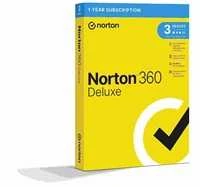
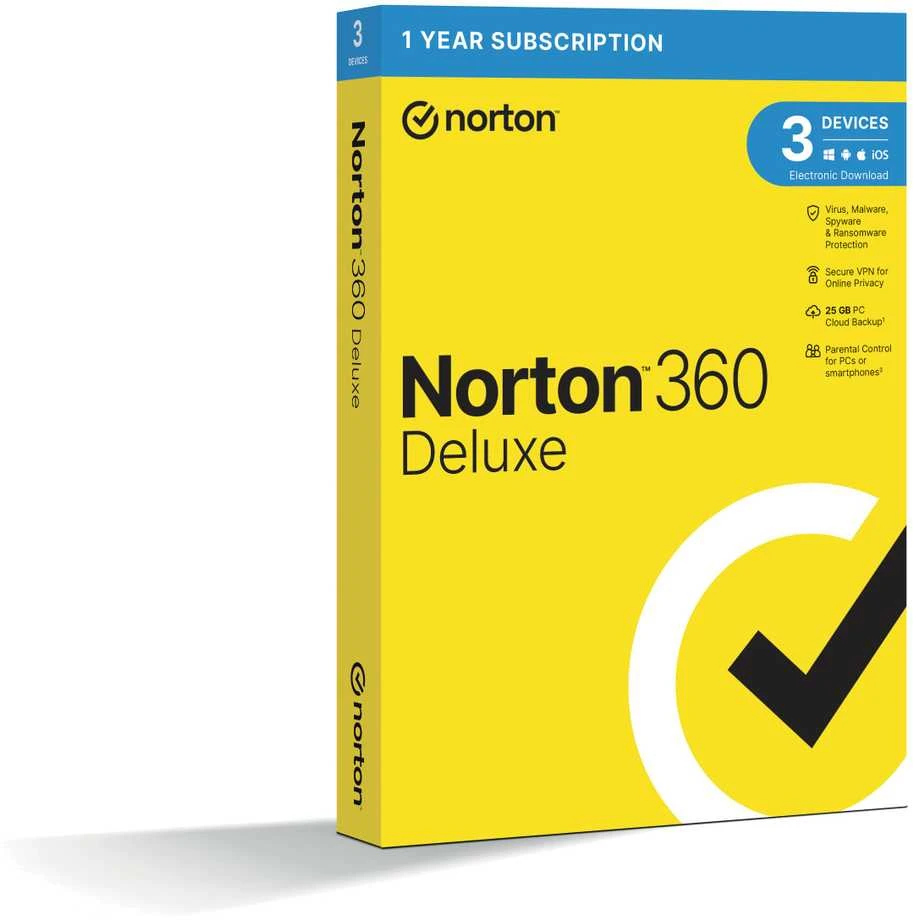
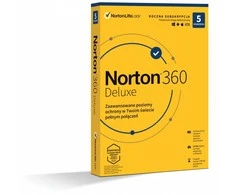
Dėžutė – licencija 3 įrenginiams 12 mėnesių. Diegimo procedūra. Apsilankykite svetainėje: https://www.norton.com/setup. Sukurkite „Norton“ paskyrą arba prisijunkite prie esamos paskyros. „Įveskite įsigytą 25 skaitmenų licencijos numerį. Licencijos numerį rasite dėžutės viduje.“ „Vykdykite ekrane pateikiamus nurodymus, kad atsisiųstumėte ir įdiegtumėte įsigytą „Norton“ produktą.“ „Norton“ produkto atsisiuntimas ir diegimas: vykdykite ekrane pateikiamus nurodymus. Norėdami atnaujinti licenciją, atidarykite produktą, viršuje dešinėje – Pagalba – Paskyros informacija – įveskite produkto kodą. „Noron 360“ produktas taip pat turi: VPN apsaugą, atsarginį portą, pradedant nuo standartinės versijos, „SafeCam“ – jūsų kameros apsaugą, patobulintą užkardos filtrą. Funkcijos Prijungtų įrenginių apsauga Įdiekite apsaugą iki 3 asmeninių kompiuterių, „Mac“, „iOS“ ir „Android“ įrenginių. Apsauga nuo grėsmių realiuoju laiku Išplėstinė sauga, padedanti apsaugoti jūsų įrenginius nuo esamų ir atsirandančių kenkėjiškų programų ir apsauganti jūsų asmeninę bei finansinę informaciją. Saugus VPN Naršykite anonimiškai ir saugiai naudodami VPN be žurnalų. Naudodamiesi elektronine bankininkyste, pridėkite šifravimą, kad užtikrintumėte, jog jūsų informacija, pvz., slaptažodžiai ir banko duomenys, yra saugūs ir privatūs. VPN nėra anglų kalba. Jis galimas tik anglų kalba. Slaptažodžių tvarkyklė: įrankiai, skirti lengvai kurti, saugoti ir tvarkyti slaptažodžius, kredito kortelių informaciją ir kt. – saugiau. „SafeCam“: akimirksniu įspėja jus apie bet kokį bandymą pasiekti jūsų internetinę kamerą ir padeda blokuoti neteisėtą prieigą. Išmanioji užkarda, skirta asmeniniam kompiuteriui arba... „Mac“ skirta užkarda: stebi ryšį tarp jūsų kompiuterio ir kitų kompiuterių ir padeda blokuoti neteisėtą srautą. 25 GB kompiuterio atsarginė kopija debesyje (priklausomai nuo produkto tipo) Automatinis, saugus kompiuterio atsarginių kopijų kūrimas debesyje – saugokite ir padėkite apsaugoti svarbius failus kaip prevencinę priemonę nuo standžiojo disko gedimų, įrenginių vagysčių ir net išpirkos reikalaujančių programų. Reikalingas, kad jūsų įrenginys būtų prijungtas prie interneto. Tėvų kontrolė Galioja tik „Deluxe“ ir „Premium“ versijoms. Diegimas: jei įsigijote bet kurį iš „Norton by Symantec“ produktų ir suaktyvinote NAUJĄ LICENCIJĄ: eikite adresu: norton.com/enroll sukurkite „Norton“ paskyrą arba prisijunkite prie esamos paskyros įveskite įsigytą 25 skaitmenų licencijos numerį vykdykite ekrane pateikiamus nurodymus, kad atsisiųstumėte ir įdiegtumėte įsigytą „Norton“ produktą Produktą galite įdiegti savo įrenginyje arba išsiųsti atsisiuntimo nuorodą į kitus įrenginius (jei įsigijote kelių įrenginių versiją) Jei įsigijote „Norton by Symantec“ produktą ir norite ATNAUJINTI ESAMĄ LICENCIJĄ: eikite į ATNAUJINTI tiesiai produkte. Ten pasirinkite Pagalbos centras ir pasirinkite įveskite produkto kodą Įveskite įsigytą 25 skaitmenų licencijos numerį Sistemos reikalavimai Ne visos funkcijos pasiekiamos... Visos platformos Palaikomos operacinės sistemos „Microsoft Windows 11“, „10“ (išskyrus „Windows 10 S“), 8 / 8.1 (kai kurios apsaugos funkcijos nepasiekiamos „Windows 8“ pradžios ekrano naršyklėse), 7 (su 1 pakeitimų paketu arba naujesniu) Dabartinė ir dvi ankstesnės „Mac OS“ versijos „Android 6.0“ arba naujesnė versija. Būtina įdiegti „Google Play“ programėlę Dabartinė ir dvi ankstesnės „iOS“ versijos („iPhone“ arba „iPad“) Saugus VPN – palaikomos sistemos: „Microsoft Windows 11“, 10, 8, 8.1, 7 (su 1 pakeitimų paketu arba naujesniu) Dabartinė ir dvi ankstesnės „Mac OS“ versijos „Android 6.0“ arba naujesnė versija / Dabartinė ir dvi ankstesnės „iOS“ versijos („iPhone“ arba „iPad“) Kuo NAUJASIS „Norton 360“ skiriasi nuo „Norton Security“? NAUJI „Norton 360“ tarifai sukurti taip, kad užtikrintų kelis apsaugos sluoksnius, kurių jums reikia nuo esamų ir kylančių kibernetinių grėsmių. Jie apima: Saugaus VPN programėlę – padeda apsaugoti jūsų ryšį su viešuoju „Wi-Fi“ tinklu Slaptažodžių tvarkyklę slaptažodžiams saugoti ir tvarkyti „SafeCam“ funkciją kompiuteriams, padedančią blokuoti neteisėtą prieigą prie jūsų internetinės kameros Kompiuterio atsarginių kopijų kūrimo debesyje arba keliose saugyklose funkciją (priklausomai nuo produkto tipo)

 Dirbtinio intelekto nuomonė
 4
2023-11-26
4
2023-11-26
Turinys
Pasak Varlė.lt buitinės technikos ekspertų, televizoriai su atmosferiniu apšvietimu šiandien yra vienas dažniausių klientų pasirinkimų. Kalbame apie „Ambilight“ technologiją, kuri suteikia visiškai …
Turinys
Varlė.lt specialistai pastebi, kad svarstant, kokį televizorių pasirinkti, vis dažniau klientų akys krypsta į OLED televizorius. Vartotojų dėmesį taip pat patraukia QLED televizoriai, …
Keliaudami prisėdate kavinėje, prisijungiate prie nemokamo Wi-Fi tinklo, o po kurio laiko pastebite, kad banko sąskaita ištuštinta. Tai ganėtinai drastiškas pavyzdys, tačiau taip išties gali nutikti, mat kibernetiniai nusikaltėliai nesunkiai perima informaciją, kai prisijungiama prie nesaugaus viešo interneto tinklo.
Dar ne taip seniai vaikai daugiausia žaisdavo lauke ir grįždavo namo tik labai išalkę. Visgi, interneto bumas šiuos įpročius pakeitė. Šiandien, vietoj išėjimo į lauką, jauni žmonės dažnai renkasi naršymą internete ar bendravimą socialiniuose tinkluose. Jei anksčiau vaikai didžiąją …
 5.0
6 d. d.
5.0
6 d. d.
 6 d. d.

 2-3 d. d.


 LP Express paštomate rugpjūčio 17 d.
 Omniva paštomate rugpjūčio 17 d.
 DPD kurjeriu rugpjūčio 17 d.


