Pagalba
 Kontaktai
 Atsiliepimai
 Verslui
 Varlė
Varlė


Krepšelis tuščias
Turite Varlės paskyrą?
Prisijunkite, kad pamatytumėte krepšelio turinį
Prisijungti

 Visos prekės


 Krepšelis
Tuščias
Prekių
Krepšelis
Krepšelis
Tuščias
Prekių
Krepšelis
Prisijunkite, kad pamatytumėte krepšelio turinį
Prisijungti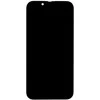
 4.5
4.5

 4.5
4.5

 Ši prekė
 Atminties kortelė Samsung PRO Endurance microSD 128 GB, Baltos spalvos
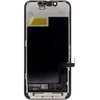
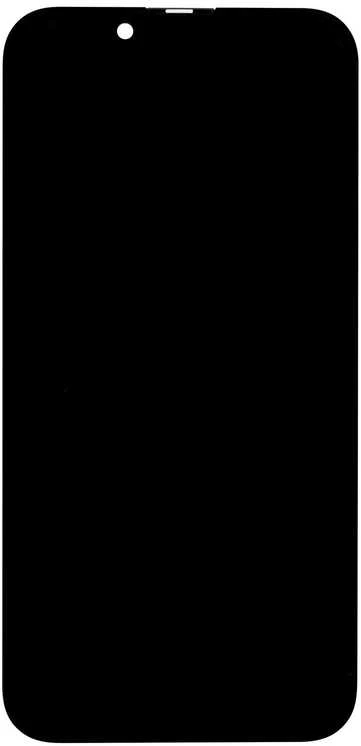
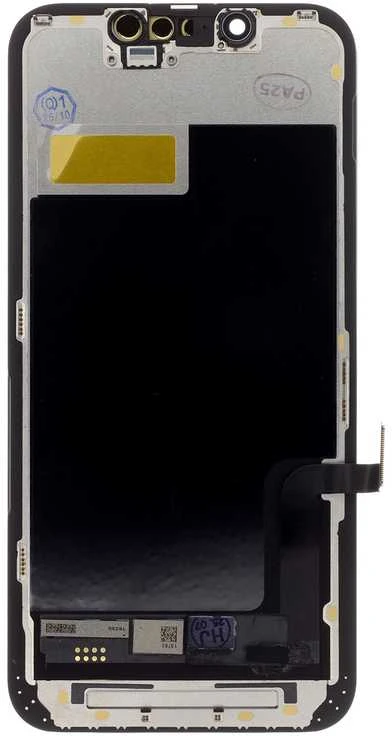
„Tactical True Color“ LCD ekrano pakaitalas su jutikliniu stiklu ir rėmeliu. „Tactical True Color“ ekranai pasižymi 100 % identiškais žiūrėjimo kampais ir matmenimis bei išskirtinai mažomis energijos sąnaudomis, kurios yra iki 30 % mažesnės nei įprastų ne firminių ekranų, todėl pailgina baterijos veikimo laiką. Jie pagaminti naudojant pažangias technologijas, kurios užtikrina išskirtinį atsparumą pažeidimams numetus, taip pat ir įbrėžimams. „True Tone“ palaikymas užtikrina aiškų spalvų atkūrimą, taip pat „Haptic Touch“. Tikslus lietimo atsakas, puikus prigludimas ir apdaila. Ekranai gamykloje padengti oleofobine danga, apsaugančia nuo pirštų atspaudų ir lengvai valomi įprasto naudojimo metu. Jei jūsų ekranas buvo pažeistas numetus, subraižytas ar kitaip pažeistas, „Tactical True Color“ ekranas yra geriausias pasirinkimas pakeitimui. Savybės: - ekrano tipas: „Incell LCD“ - Ryškumas 550–650 nitų - „True Color“ spalvų atkūrimui kaip originale - HDR palaikymas ryškioms spalvoms ir detalėms - 30 % mažesnės energijos sąnaudos - žymiai padidintas atsparumas pažeidimams - „True Tone“ palaikymas - „Haptic Touch“ intuityviam valdymui - Tikslus lietimo atsakas - Puiki kokybė ir prigludimas - Oleofobinė danga apsaugai nuo pirštų atspaudų ir geresniam valymui - LCD NEPALAIKO automatinio ryškumo funkcijos. Ši dalis gali atlikti diagnostiką savarankiškai, atlikdami šiuos veiksmus: 1) Spustelėkite „Paleisti iš naujo ir užbaigti taisymą“ 2) tada spustelėkite „Tęsti“ 3) Prisijunkite prie „WiFi“ tinklo 4) Sutikite, kad „Apple“ rinktų diagnostikos duomenis. 5) Palaukite, kol bus baigta konfigūracija 6) Spustelėkite „Tęsti“ 7) Palaukite, kol bus baigta kita konfigūracija 8) Tada viskas baigta LCD ekranas nebus rodomas kaip nežinomas. Pakuotėje yra: LCD ekrano stiklas su lietimui jautriu ekranu; rėmelis telefono spalvos; kad „Face ID“ tinkamai veiktų, sistemą reikia atnaujinti į „IOS 15.2“. Įspėjimas: atkreipkite dėmesį į antistatinę apsaugą: dirbkite ant antistatinio kilimėlio ir, jei reikia, naudokite antistatinę apyrankę. Patikrinkite, ar visos dalys, kurios gali būti veikiamos statinės elektros, yra tinkamai užklijuotos antistatine juosta. Prieš diegdami, tinkamai patikrinkite LCD ekraną (lietimo funkcionalumą, spalvas, ryškumą, jutiklio veikimą, teisingą pikselių rodymą). Diegimą atlikite atjungę bateriją ir įsitikinkite, kad jungtys tinkamai sujungtos viena su kita. Įdiegę dar kartą atlikite tinkamą patikrinimą. https://support.apple.com/en-euro/docs
 4-6 d. d.
 4-6 d. d.
 6-7 d. d.
 6-9 d. d.
 6-9 d. d.
 6-9 d. d.
 6-9 d. d.
 6-9 d. d.
 6-9 d. d.
 6-9 d. d.
 5.0
6-7 d. d.
5.0
6-7 d. d.
 1-2 d. d.
 1-2 d. d.
 3-5 d. d.

 1-2 d. d.
 4-7 d. d.


 SmartPosti paštomate liepos 13 d.
 LP Express paštomate liepos 13 d.
 Omniva paštomate liepos 13 d.
 DPD paštomate liepos 13 d.
 Venipak paštomate liepos 13 d.